




Watch one short ad and play ad-free for 30 minutes.
City Car Driving
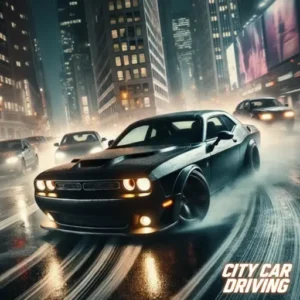
IwensePlay City Car Driving online for free! Have you ever wondered what it’s like to cruise through a bustling city at night behind the wheel of a powerful sports car? Now is your chance to find out. City Car Driving is an exciting 3D simulator that puts you in the driver’s seat. Whether you want to follow the rules of the road to become a pro driver or just speed through the streets performing wild stunts, this game has something for everyone. It is one of the most popular City Car Driving online experiences available right in your web browser.
You don’t need a driver’s license to enjoy this virtual road trip. With realistic graphics, cool lighting, and smooth controls, you will feel like you are really driving. Get ready to rev your engine, dodge traffic, and explore a massive open world!
Quick Highlights
- 🏎️ Realistic Driving: Feel the weight and speed of different vehicles.
- 🌃 Night Mode: Explore a beautifully lit city under the glow of streetlights.
- 🔧 Customization: Change your car’s wheels and steering setup.
- ⚡ Power-Ups: Use Nitro for speed and Slow Motion for epic drifts.
What is City Car Driving?
City Car Driving is a 3D racing and simulation game designed to give players a realistic experience of handling a vehicle. Originally popularized as a serious training tool for learner drivers on PC, this browser-based version (often called City Car Driving Simulator) focuses more on the fun and freedom of driving. Developed with high-quality 3D technology, it lets you zoom around a detailed city environment without a heavy City Car Driving free download or installation.
The game falls into the Racing games category but offers a sandbox style of play. This means you aren’t forced to just race in circles; you can choose your own path, practice parking, or test your car’s limits on the highway.
City Car Driving Gameplay
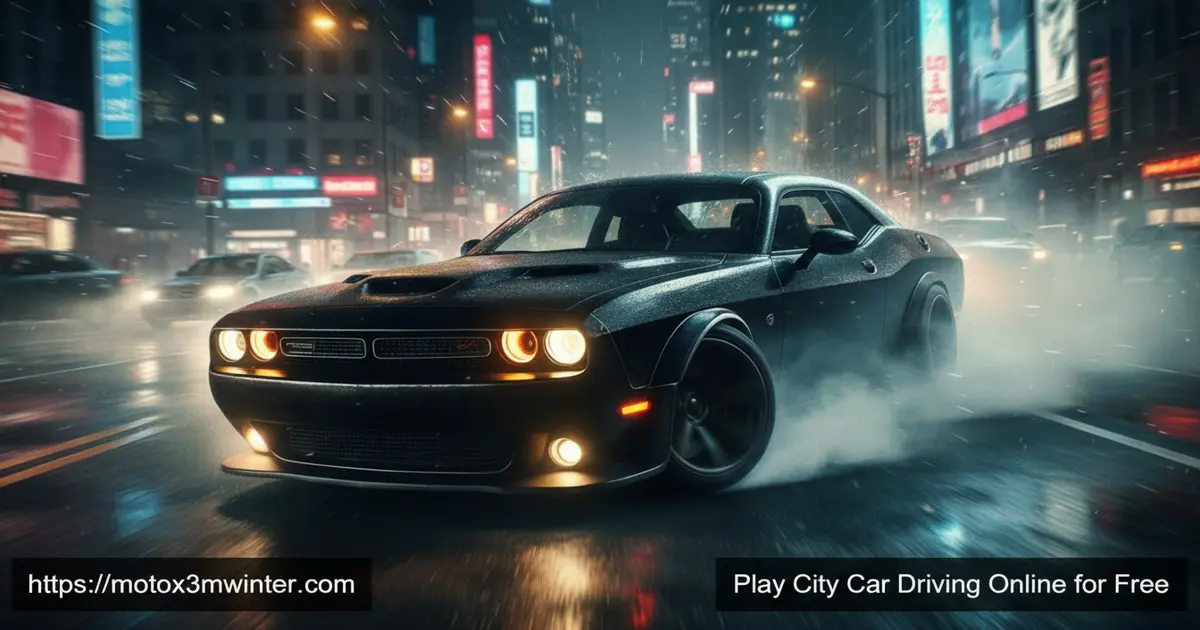
The gameplay is all about freedom. When you start the City Car Driving game, you are dropped into a city at night. The streets are filled with traffic, but you won’t find pedestrians blocking your way, making it safer to drive fast! You can weave through lanes, drift around corners, and explore every nook and cranny of the map.
Unlike strict driving tests, this version lets you play your way. Want to follow traffic laws and stop at lights? Go ahead! Prefer to smash into other cars and cause chaos? You can do that too. The game creates a dynamic environment where your choices define the fun.
Graphics & Audio
Visually, the game is stunning for a browser title. The city comes alive with neon signs, street lamps, and realistic car reflections. The “night view” is a favorite feature for many players, creating a cool, mysterious atmosphere. The audio adds to the immersion with the roar of the engine, the screech of tires during a drift, and the honking of city traffic.
Levels & Progression
While there isn’t a traditional “level 1 to level 10” system, progression comes from mastering the controls and unlocking the potential of your car. You can track your mileage (distance driven) and challenge yourself to drive for kilometers without crashing. The real reward is the skill you build—learning how to handle a car at high speeds without losing control.
Why Players Love City Car Driving ❤️
Kids and teens love this game because it offers a safe space to do things you can’t do in real life yet. It is a mix of a toy box and a driving school. You can experiment with physics, see what happens when you pull the handbrake at high speed, and simply enjoy the vibe of a midnight drive. Plus, features like “Slow Motion” let you watch your spectacular stunts (or crashes) in movie-like detail!
Customization & Upgrades
One of the coolest parts of the City Car Driving game is the garage. Here, you can customize your ride to match your style. You can swap out wheels for a fresh look or tweak the steering sensitivity to make the car handle exactly how you like. Whether you want a grippy racer or a slippery drift machine, the choice is yours.
Platform Compatibility
Platform
You can play this game on multiple devices. It is optimized for:
- Desktop Browsers: Chrome, Firefox, and Edge (PC and Mac).
- Android Devices: Available via app stores for mobile play.
How to Play City Car Driving
Getting started is super easy. Once the game loads, pick your car and hit the road. Your goal is to drive as far as you can, perform stunts, or just enjoy the scenery. Be careful with the traffic—other cars might change lanes unexpectedly!
Instructions & Controls
Master these controls to become the king of the road:
- W or Up Arrow: Accelerate (Go)
- S or Down Arrow: Brake / Reverse
- A or Left Arrow: Steer Left
- D or Right Arrow: Steer Right
- Space Bar: Handbrake (Great for drifting!)
- F: Activate Nitro Boost 🚀
- G: Toggle Slow Motion ⏱️
- C: Change Camera View
Tips and Tricks for City Car Driving
- 🏎️ Use Nitro Wisely: Save your “F” key boost for long straight roads to reach top speed.
- 🔄 Master the Drift: Tap the Space Bar while turning to slide around corners like a pro.
- 👀 Watch the AI: The traffic cars can be unpredictable, so keep a safe distance to avoid crashes.
- 🎥 Change Your View: Use the “C” key to find the camera angle that helps you see traffic best.
- 🐌 Slow Motion Landing: If you fly off a ramp, hit “G” to enter slow motion and land perfectly.
Features of City Car Driving
- Awesome 3D Environment: A detailed open-world city to explore freely.
- Realistic Physics: Cars react to bumps, turns, and braking just like in real life.
- Traffic System: AI-controlled cars populate the roads to test your dodging skills.
- Multiple Camera Angles: Drive from behind the car or hood view for a different feel.
- No Pedestrians: A focus purely on vehicle-to-vehicle interaction and driving mechanics.
City Car Driving Online
The best part about the browser version is accessibility. You can jump into City Car Driving online instantly. There is no need for a high-end gaming rig or a complex City Car Driving PC setup. As long as you have an internet connection, you can load up the city and start your engine in seconds.
City Car Driving for Free
Many driving simulators cost a lot of money, but you can enjoy this version of City Car Driving for free. There are no hidden paywalls to start the engine. It’s a fantastic way to experience the thrill of a City Car Driving mobile style game on a big screen without spending a dime.
Download City Car Driving
If you want to take the fun with you on your phone or tablet, you can check out the mobile versions. For the full PC simulator experience, check the official stores.
On Android
You can find the mobile version on the Google Play Store.
On iOS
Apple users can download the game from the App Store.
Can You Play City Car Driving Unblocked?
City Car Driving Unblocked
Yes! If you are at school or on a library computer, you might be looking for City Car Driving unblocked. Our site provides a safe, secure way to play the game directly in your browser using HTML5. This means you don’t need to use a VPN or download sketchy files to play.
Similar Games to City Car Driving
If you love speed and engines, check out these other awesome titles on our site:
- Driving Simulator – Master the handling of various vehicles in a detailed 3D environment focused on free exploration.
- Taxi – Navigate complex street networks to deliver passengers while managing urban traffic.
- School Bus – Maneuver a massive vehicle through tight city streets with a focus on safety and precision.
- Car Parking – Test your spatial awareness by fitting your vehicle into tight urban spots after a long drive.
- Extreme Car Driving Simulator – Take the urban experience to the next level with high-speed stunts and a more aggressive driving style.
- Traffic Tour – Experience high-speed highway driving within a realistic traffic system.
FAQs About City Car Driving
Can you get City Car Driving for free?
Yes! You can play the browser version right here for free. It gives you access to free driving modes, stunts, and car customization.
Is City Car Driving on PS5?
The browser version is not on PS5, but there is a separate console title called “City Driver” available on newer PlayStation systems. For this specific web game, a computer or phone is best.
How do I use Nitro in the game?
To use Nitro, simply press the “F” key on your keyboard while driving. This will give your car a sudden burst of speed, perfect for jumps or overtaking traffic.
Are there pedestrians in this game?
In the free browser version of City Car Driving Simulator, there are no pedestrians. This lets you focus entirely on driving and avoiding other vehicles on the road.
Can I customize my car?
Absolutely! You can customize your car’s appearance, specifically the wheels and steering settings, to make the ride feel unique to you.
Play City Car Driving online for free — no downloads, no sign-ups, just pure gaming fun!
Gameplay Video